
Introduction
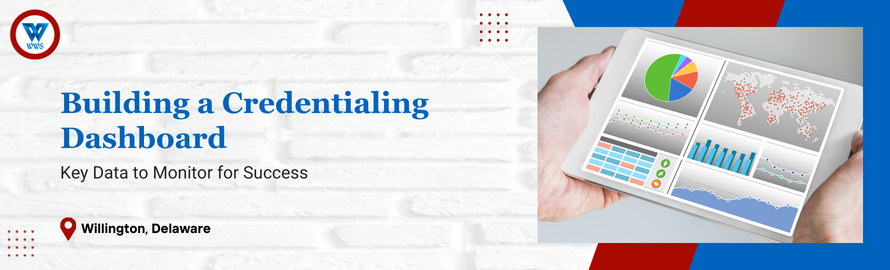
A credentialing dashboard is more than just a visual tool—it’s a centralized hub for tracking progress, identifying bottlenecks, and driving data-informed decisions. For DME providers, an effective dashboard provides real-time insights into key metrics like application statuses, upcoming deadlines, and compliance trends, enabling your team to stay organized and proactive.
In this blog, we’ll explore how to build a credentialing dashboard that enhances visibility, streamlines workflows, and improves overall efficiency.
Why a Credentialing Dashboard is Essential
- Improves Transparency
Provides a clear overview of your credentialing processes, helping you identify issues before they escalate. - Enhances Decision-Making
Real-time data allows you to make informed decisions about resource allocation and process improvements. - Increases Efficiency
Centralized tracking of applications, renewals, and deadlines reduces manual oversight and prevents errors. - Strengthens Payer Relationships
Access to accurate data supports better communication and faster resolution of credentialing issues with payers.
Key Data Points to Include in Your Dashboard
- Application Status
- What to Track:
Number of applications submitted, pending, approved, or denied. - Why It Matters:
Provides visibility into overall progress and identifies payers requiring follow-ups.
- What to Track:
- Upcoming Deadlines
- What to Track:
Expirations for licenses, certifications, and re-credentialing deadlines. - Why It Matters:
Ensures timely submissions and prevents lapses in provider credentials.
- What to Track:
- Error and Denial Rates
- What to Track:
Percentage of applications or claims denied due to credentialing errors. - Why It Matters:
Highlights areas for improvement and reduces delays in approvals or reimbursements.
- What to Track:
- Payer-Specific Metrics
- What to Track:
Average approval timelines, unique requirements, and payer responsiveness. - Why It Matters:
Helps prioritize high-impact payers and streamline processes for slower responders.
- What to Track:
- Provider Credentialing Costs
- What to Track:
Total costs associated with credentialing activities, divided by the number of providers. - Why It Matters:
Identifies inefficiencies and opportunities to reduce administrative expenses.
- What to Track:
- Compliance Trends
- What to Track:
Success rates in meeting accreditation standards and passing audits. - Why It Matters:
Supports long-term compliance and ensures readiness for payer or regulatory reviews.
- What to Track:
Steps to Build an Effective Credentialing Dashboard
- Identify Key Stakeholders
- Why It Works:
Ensures the dashboard meets the needs of all users, from credentialing teams to leadership. - How to Do It:
Consult with team members to determine the most relevant metrics for your practice.
- Why It Works:
- Choose the Right Platform
- Why It Works:
A user-friendly platform ensures ease of access and real-time updates. - How to Do It:
Select software that integrates with your credentialing and billing systems for seamless data sharing.
- Why It Works:
- Customize Data Visualizations
- Why It Works:
Tailored visuals make it easier to interpret data and identify trends. - How to Do It:
Use charts, graphs, and color-coded indicators to highlight key metrics like deadlines and application statuses.
- Why It Works:
- Automate Data Updates
- Why It Works:
Automated updates ensure accuracy and reduce the time spent on manual data entry. - How to Do It:
Configure your dashboard to pull data directly from credentialing software or other integrated systems.
- Why It Works:
- Monitor and Optimize
- Why It Works:
Regular reviews of dashboard performance help you refine metrics and improve usability. - How to Do It:
Schedule monthly evaluations to ensure the dashboard continues to meet your team’s needs.
- Why It Works:
Set up automated alerts within your dashboard to notify your team of approaching deadlines, pending approvals, or unusually high error rates.
How WWS Can Help
At WWS, we provide the tools and expertise to build and manage effective credentialing dashboards:
- Customizable Dashboards: Tailored to track the metrics most relevant to your practice’s goals.
- Seamless Integration: Our dashboards connect with your existing systems for real-time updates and accuracy.
- Ongoing Support: We help you refine your dashboard over time to ensure it continues to deliver actionable insights.
Schedule a consultation with WWS today to build a credentialing dashboard that drives success:
Schedule a Meeting with WWS.
Conclusion
A credentialing dashboard is a powerful tool for improving transparency, efficiency, and compliance. By tracking the right data and leveraging technology to automate updates, your team can stay organized and proactive, ensuring seamless credentialing processes and stronger payer relationships.
Partner with WWS to design a credentialing dashboard that elevates your practice—schedule your consultation today!