
Answer Summary:
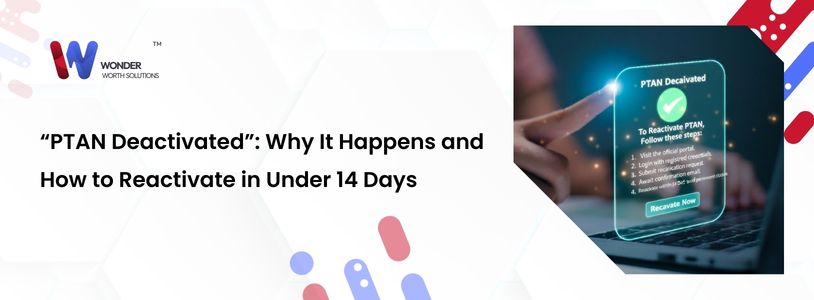
A deactivated PTAN (Provider Transaction Access Number) acts as a “kill switch” for your cash flow, instantly halting all Medicare payments. The most common causes in 2026 are failed revalidations, “returned mail” audits, and inactive NPIs. To reactivate quickly, providers must submit a corrective CAP (Corrective Action Plan) or a Reinstatement Application via PECOS immediately. Standard processing takes 60+ days, but identifying the specific “Revocation Reason Code” allows for faster, targeted appeals.
Introduction:
Imagine logging into your clearinghouse on a Monday morning. You expect to see paid claims. Instead, you see a wall of red text: “Provider not authorized to bill.”
Your heart sinks. You haven’t lost a contract; you’ve lost your identity. Your PTAN has been deactivated.
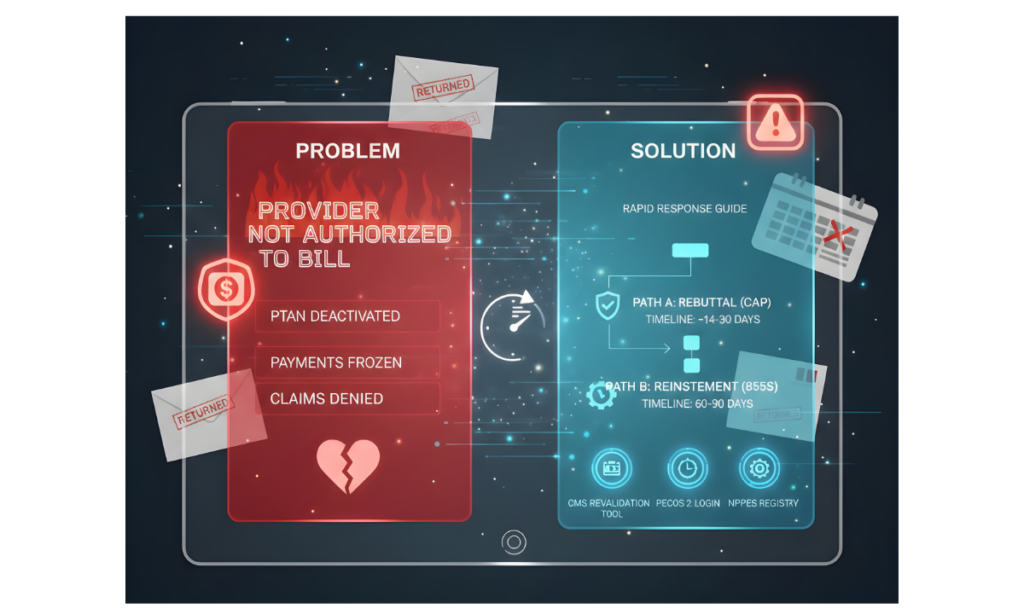
For a DME provider, a deactivated PTAN is a financial heart attack. It doesn’t just stop future payments; it freezes everything currently in the pipeline. Claims submitted yesterday? Denied. Payments scheduled for tomorrow? Held.
In 2026, CMS has automated many revocation triggers. If you don’t know why the switch was flipped, you can’t turn it back on. Here is the rapid response guide to saving your billing privileges.
The Top 3 Reasons PTANs Die in 2026
CMS doesn’t deactivate providers for fun. They do it because a data point failed a validation check.
1. The “Returned Mail” Trigger (Most Common)
CMS is aggressively testing your physical presence. They send “Site Verification” letters or revalidation notices to the address listed in PECOS.
- The Trigger: If the USPS returns that letter as “Undeliverable” (even due to a mailroom error), your PTAN is auto-deactivated for “Non-Operational Status.”
- The Warning: You often won’t know this happened until the claims stop paying.
2. The “Ghost” Revalidation
Did you miss your 5-year revalidation cycle? In the past, MACs sent multiple warning letters. In 2026, the automated system is less forgiving.
- The Trigger: One missed deadline = Automatic deactivation.
- The Trap: If the email went to a former employee, you never saw the warning.
3. State License Mismatch
- The Trigger: Your State DME license expired on December 31st. You renewed it, but you didn’t upload the new PDF to PECOS.
- The Result: On January 30th, the system flags you as “Unlicensed” and revokes billing privileges.
The Reactivation Roadmap (Speed is Key)
If you are deactivated, you have two paths. Choosing the wrong one can cost you months of revenue.
Path A: The Rebuttal (Corrective Action Plan)
- When to use: If the deactivation was a CMS error (e.g., the mail was delivered, but the postman marked it wrong) or a minor clerical fix.
- The Process: You have 30 days to file a CAP. You must prove you were compliant before the deactivation date.
- Timeline: ~14–30 Days.
Path B: The Reinstatement
- When to use: If you actually missed a deadline or let a license lapse.
- The Process: You must resubmit your entire enrollment application (Form 855S).
- The “Gap” Warning: You cannot bill for the days between deactivation and reinstatement. That revenue is lost forever.
- Timeline: 60–90 Days (without expert expediting).
Useful Resources for Self-Check
Before you panic, check your status using these official tools:
- CMS Revalidation Lookup Tool: Check if you are currently due for revalidation Medicare Revalidation List
- PECOS 2.0 Login: Verify your address and “Authorized Official” status PECOS Portal
- NPPES Registry: Ensure your NPI is still listed as “Active.” NPI Registry
WWS Value Proposition:
We Are Your “Emergency Response” Team
At Wonder Worth Solutions, we treat PTAN deactivation as a Code Red. We don’t just “submit forms”; we manage the crisis. We identify the root cause (Mail? License? Revalidation?), prepare the Corrective Action Plan (CAP) overnight, and expedite the submission through PECOS to cut the downtime by weeks.
Received a revocation letter?
Do not wait. Immediately for emergency reactivation support before your cash flow freezes