
Answer Summary:
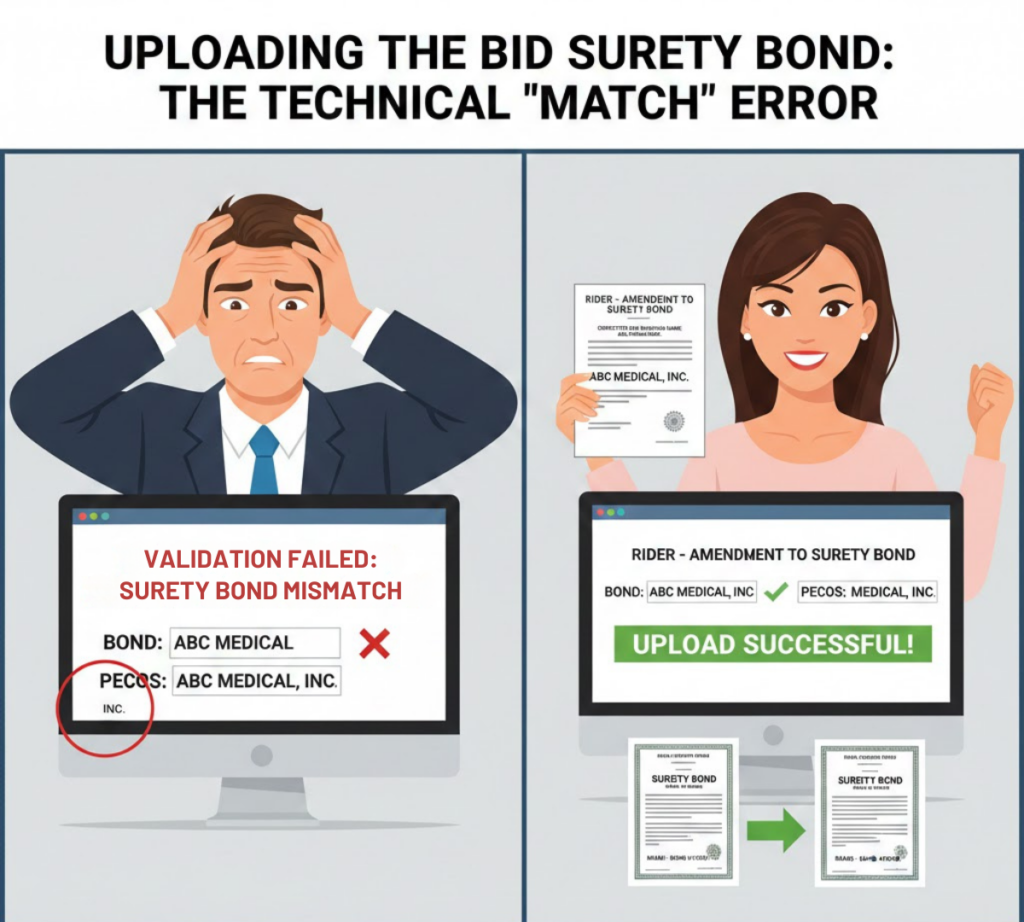
The most common technical error during the final week of registration is the Surety Bond Mismatch. CMS requires that the “Legal Business Name” (LBN) and “Tax ID” (TIN) on the physical bond document match the PECOS enrollment exactly—down to the comma and “Inc.” If the bond says “ABC Medical” but PECOS says “ABC Medical, Inc.”, the file upload will be rejected, and the provider will be blocked from bidding.
Introduction:
You paid for the bond. You have the PDF. You hit “Upload.”
Error: Validation Failed.
Why?
Computers are stupid. They don’t know that “ABC Med” and “ABC Medical” are the same company.
In the high-stakes environment of the 2026 Bid, a typo is fatal.
For every Competitive Bidding Area (CBA) where you are a “Non-Resident” bidder, you must upload a $50,000 Surety Bond. But getting the PDF into the system is harder than it looks.
The “Exact Match” Standard
The Connexion system uses an automated Optical Character Recognition (OCR) or data-field match to validate your bond.
- The Bond: Look at the “Principal Name” line on your PDF.
- The PECOS: Look at the “Legal Business Name” field in your PECOS profile.
- The Test: Do they match exactly?
- Bond: The DME Store LLC
- PECOS: The DME Store, L.L.C.
- Result: REJECTION.
The “Rider” Fix
If you discover a mismatch, do not try to change your name in PECOS. A PECOS name change takes 60 days. You don’t have time.
- The Fix: Call your surety broker immediately. Ask for a “Rider” to correct the name on the bond.
- Timeline: A Rider is a simple one-page amendment. Most brokers can email it to you within 24 hours.
- The Upload: Upload the original bond plus the Rider as a single PDF file.
The “CBA Specific” Trap
- The Requirement: You need a bond for each CBA.
- The Mistake: Uploading the same PDF file for every region without checking the “Bond Number.”
- The Rule: Each bond must have a unique Bond Number. If you try to use Bond #12345 for both Miami and Dallas, the system will flag it as a duplicate/invalid entry.
WWS Value Proposition:
We Pre-Validate the Document
Wonder Worth Solutions reviews your bond PDF against your PECOS profile before you attempt the upload. We catch the “comma errors” while there is still time to call the broker.
Does your bond match your profile?
Send it to us for a Visual Validation Check before the system locks you out.